ACCESS Accounts
What is ACCESS?
ACCESS is a U.S. National Science Foundation (NSF) program that provides researchers with access to advanced computational resources, support services, and training. REPACSS aims to integrate with ACCESS in the future to:
- Expand national access to REPACSS resources
- Support collaboration across U.S. institutions
To get ACCESS resources, follow the instructions on Get Your First Project to apply. Key steps for applying REPACSS resources are highlighted below.
Group-Based Allocation: New REPACSS Users
REPACSS uses Hammerspace Storage with Group-Based Allocation. Although ACCESS allows anyone to apply for projects and REPACSS resources independently, REPACSS manages storage and access by research groups.
For new REPACSS users, the initial setup must be completed by a Research Group director (faculty). The director must:
- Apply as the project lead with faculty identity
- Describe the intended use of REPACSS resources
- Provide group information and initial group member list in the application
REPACSS will use this information to create the new group and member accounts. Once the group exists, additional members can be added through the normal ACCESS workflow.
Step-by-Step Guide
1. Register New Account
Follow New User Registration to register an ACCESS account with your university identity.
2. Choose the Project Type
Project Types describes four different allocation types, each corresponding to ACCESS credits that you can redeem for CPU/GPU hours on REPACSS. As ACCESS recommends, you can start with an "Explore" or "Discover" project first and upgrade if needed.
3. Redeem Credits for REPACSS Resources
Go to your project's Credits + Resources tab to exchange ACCESS credits for REPACSS compute resources.
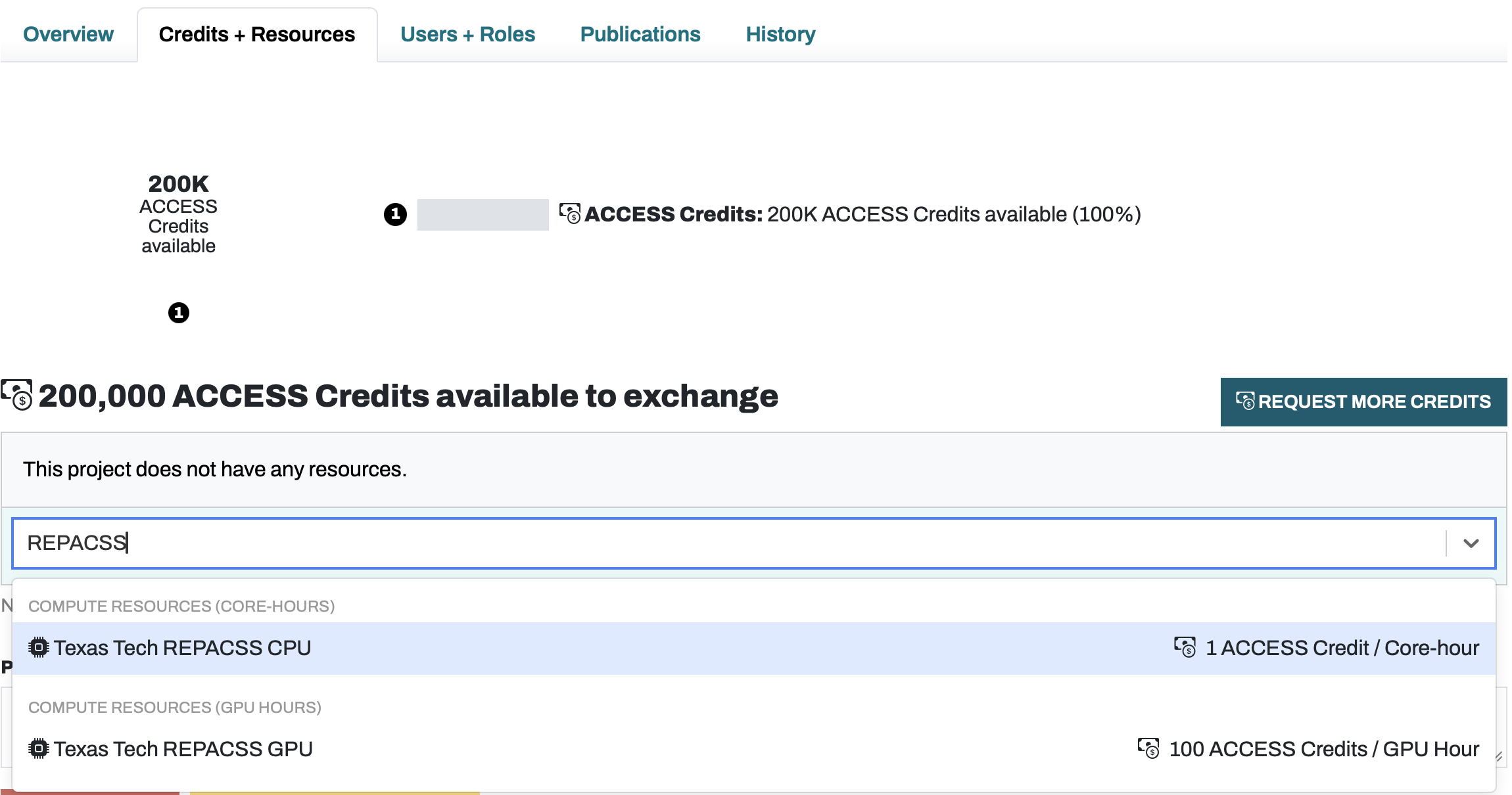
Pricing: REPACSS charges 1 ACCESS Credit per CPU core-hour and 100 ACCESS Credits per GPU hour. Search for "REPACSS" in the resource selector to find Texas Tech REPACSS CPU and GPU options.
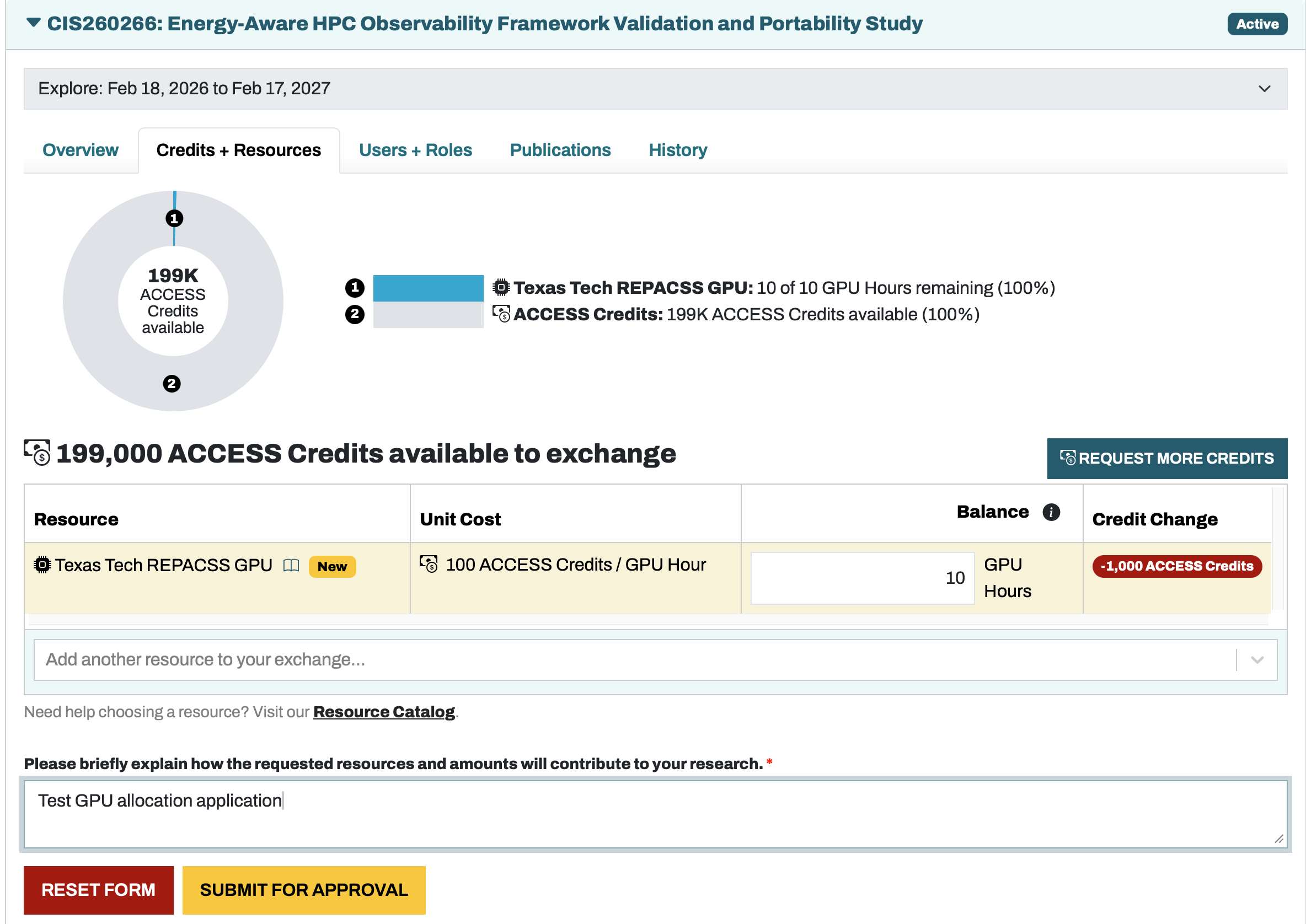
Request resources: Enter the desired quantity (e.g., 10 GPU Hours), provide a brief justification for your research, then click SUBMIT FOR APPROVAL. If you are a new REPACSS group director, include your group name and initial member list in the justification so REPACSS can provision the group.
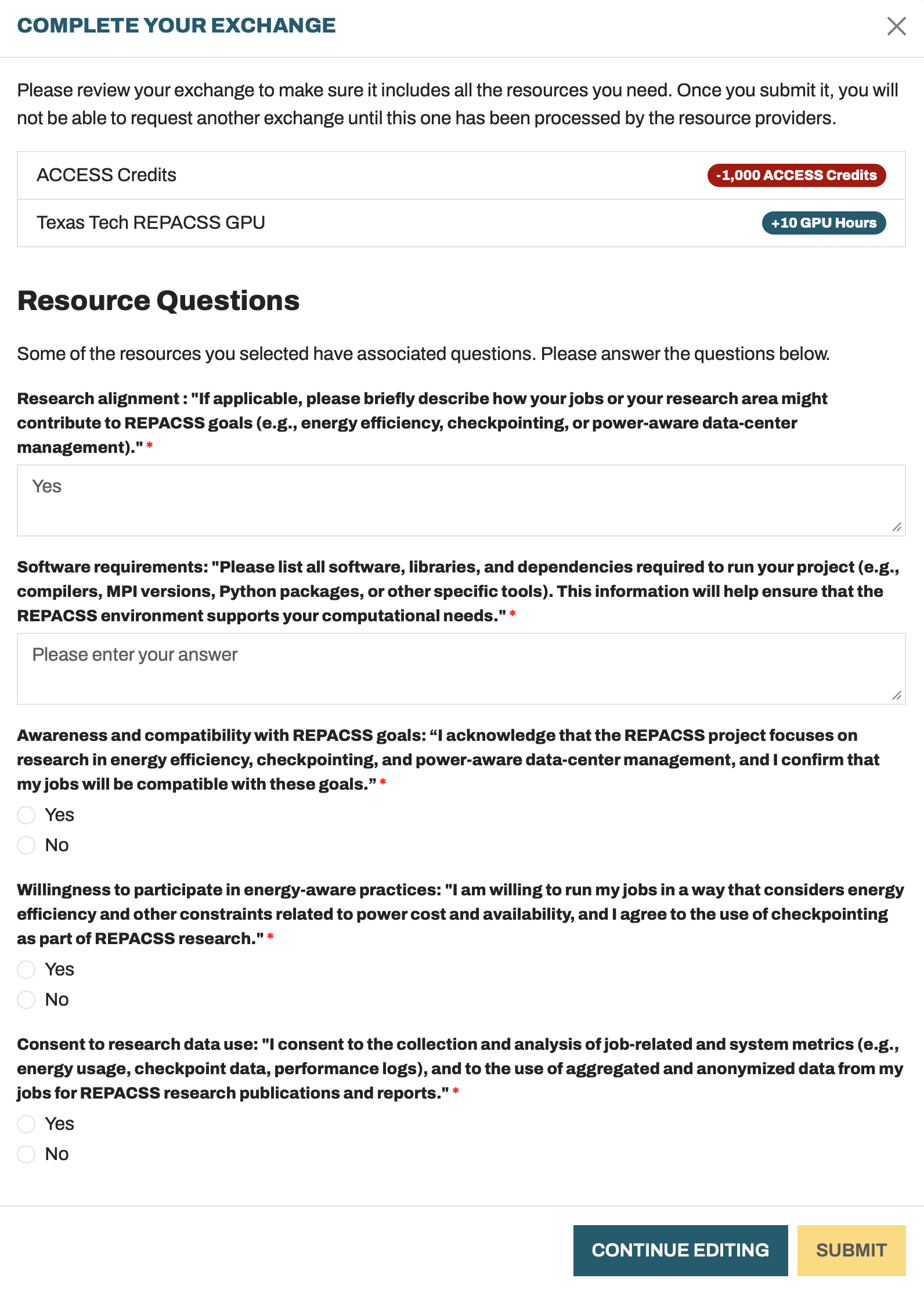
Resource Questions: REPACSS is a research-oriented data center. Before submitting, you must answer several questions to align with our research goals (energy efficiency, checkpointing, power-aware data-center management). Complete all required fields in the "Complete Your Exchange" dialog.
Once your request is approved, the allocated resources will appear on your account.
How Allocations Are Applied
REPACSS currently manages allocations on a group basis, not at the individual user level. Your personal ACCESS allocation request is treated equivalently to a group allocation request: approved CPU/GPU hours are added to your group's quota, not assigned to your individual account. All group members share the group's allocation.
We are considering extending our QoS policies in the future to support individual user allocations and per-user Slurm runtime quotas, but this is not expected to be implemented in the near term.